Email Blaster
Send segmented campaigns and personalized mass emails to your contacts. Improve reach, track engagement, and boost your results with precision.
📋 Email Log by Contact
📧 Preview do E-mail
How to Use Email Blast for Mass Messaging
Step 1: Upload Your Contact List
Create a CSV file with your contacts including Name and Email columns. You can export it from your CRM, spreadsheet, or compile manually. Only valid email addresses will be accepted.

Step 2: Customize Your Email Template
Write your message using dynamic variables like {{name}} and {{email}}. Each recipient will receive a personalized email. You can also include HTML formatting, links and buttons.

Step 3: Connect Your SMTP Server
Enter your SMTP server details: host, port, user, password, and the sender name. Ensure the SMTP allows mass email sending and is properly configured.

Step 4: Send a Test Email
Use the Send Test feature to send a copy of your email to yourself. It's the best way to check if everything is formatted correctly and that your SMTP is working as expected.

Step 5: Schedule or Start Immediately
Choose to start the campaign immediately or schedule it for a specific date and time. Scheduling helps you plan campaigns ahead and send during optimal hours.

Step 6: Launch the Email Campaign
When ready, click Start. Emails will be sent in sequence, respecting any optional delay settings to avoid spam filters. The system tracks status for each contact automatically.

Step 7: Track Delivery Status
Check your dashboard to monitor the delivery status of each email: Sent, Delivered, Opened, or Failed. Use this to analyze the performance of your campaign.

Step 8: Analyze Results and Improve
Use the built-in analytics to review open rates, click-throughs and bounce reports. These insights help you optimize future campaigns for better engagement and deliverability.

Send Mass Emails with Personalization, Scheduling, and Full Tracking
The Email Blaster by Code2Scan is the ultimate solution for sending bulk emails to your contact list. Whether you're running marketing campaigns, sending reminders, delivering updates or newsletters, you can do it all with one platform — fast, reliable, and personalized.
Mass Email Sending with SMTP or Built-in Delivery
Send thousands of emails using your own SMTP provider or Code2Scan’s built-in email delivery engine. No coding required — just upload your list, write your message, and launch.
Personalized Email Campaigns with Variables
Use variables like {{name}} and {{email}} to personalize each email in your campaign. Improve open rates and conversions by making your messages relevant and engaging.
Email Scheduling with Delivery Window Control
Choose the best time to send your campaign by scheduling it in advance. Control the sending rate to avoid spam filters and comply with sending limits. Perfect for planned launches and automation workflows.
Ideal for Newsletters, Agencies, and Transactional Emails
Whether you’re an agency, business owner, or developer, Email Blaster is the right tool for sending newsletters, product updates, transactional emails, or onboarding flows. Manage everything from one dashboard.
Track open rates, clicks, bounces, and errors in real-time. View detailed logs for each contact and campaign. Test emails before sending. No installation required — just log in and start blasting.
Try the most complete mass email platform today. Create your campaign, upload your contacts, and reach your audience with professional and automated emails.
📧 Key Features of Our Email Blaster Tool
📤 Mass Email Sending
Easily send emails to thousands of recipients using a simple CSV contact list.
✍️ Dynamic Personalization
Customize your message with dynamic tags like {{name}} and {{email}} for each contact.
🧪 Test Email
Send a preview of your message to your own inbox before launching the full campaign.
⏱️ Smart Sending Delay
Control the sending pace to reduce bounce rates and improve deliverability.
📅 Campaign Scheduling
Schedule your email blasts to be sent at the best time, even outside business hours.
📊 Opens, Clicks & Logs
Track opens, link clicks, delivery success, and errors — all in real-time.
Real Use Cases for Email Blaster

📢 Marketing Campaigns
Use Email Blaster to promote products, launch offers, share newsletters and boost engagement with targeted and personalized messages.

📆 Appointment Reminders
Automate email reminders for scheduled appointments, services, and consultations to improve attendance and reduce cancellations.

Customer Support Emails
Place an Email QR Code on packaging or receipts so customers can contact support with a ready-to-send message.

🎉 Event Invitations
Invite people to your events, webinars, and workshops with elegant, tracked emails and follow-up confirmations.
📧 Example Email Campaigns
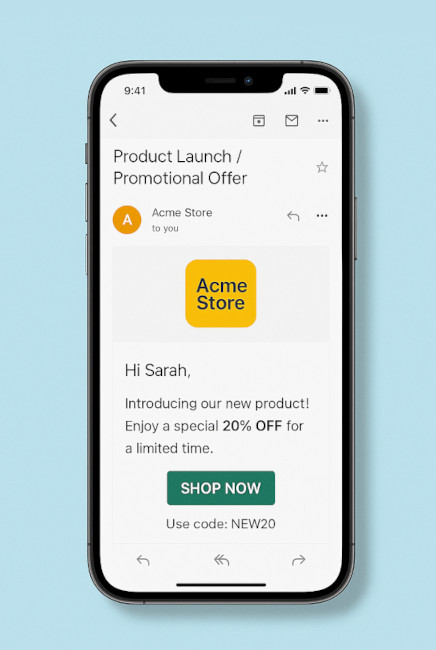
Product Launch / Promotional Offer
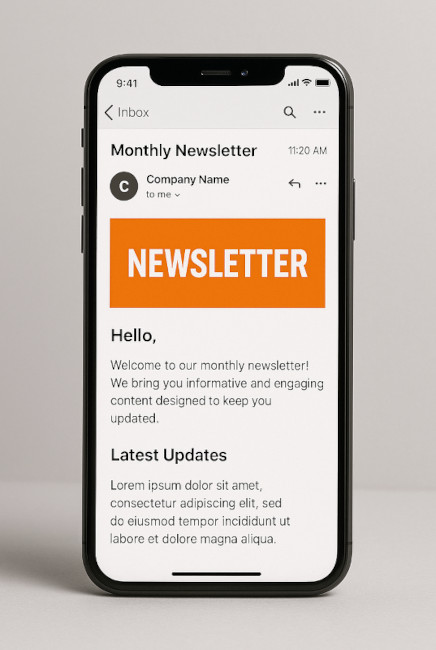
Newsletter / Informative Content
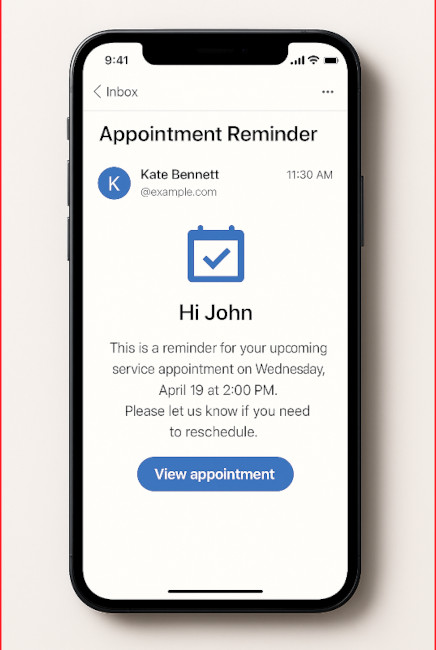
Appointment Reminder / Service Flow
💼 Plans & Pricing
Choose the plan that fits your needs — from basic usage to full-featured QR management.
🆓 Free
Essentials for simple QR creation
- 📅 Event QR
- 📶 QR Code for WIFI
- 👤 QR Code for vCard
- 🏦 QR Code Pix
- 📝 QR Code for Text
- ✅ QR Code Scanner
- 🔗 Link in Bio (1 link) NEW!
- ✅ Barcode Generator & Scanner
- ✅ Barcode Validator
- ❌ Email Support
- ❌ WhatsApp Support
Free *
⭐ Basic PRO
For branded QR Codes with your logo
- ✅ All Free features
- 🖼️ Add your logo to QR Codes
- 🎨 Color customization
- 🔗 QR Code for Link
- 🟢 QR Code for WhatsApp
- 🏆 QR Code for Google Review
- 📍 Location QR
- 🖼️ QR Code for Image
- 🎥 QR Code for Video
- 🎵 QR Code for Audio
- 📄 QR Code for PDF
- 🌐 Social Media QR
- 🛒 App Store & Play Store
- 🔗 Link in Bio (up to 3 links) NEW!
- 📊 Basic Link Analytics
- ❌ No dynamic QR or analytics
- 📧 Email Support (48h)
- 🟢 WhatsApp Support
-
📦 WhatsApp Blaster Add-on
Send segmented campaigns and mass messages via WhatsApp.
US$ 19/month – up to 1,000 messages/month.
✅ Add-on activated.
-
📦 Email Blaster Add-on
Send mass email campaigns with tracking and segmentation.
US$ 14/month – up to 5,000 emails/month.
✅ Add-on activated.
US$ 7 / month
or US$ 70 / year
💎 PRO
Full access to all advanced features
- ✅ All Basic PRO features
- 🛡️️ Google Review Booster NEW!
- 💼 vCard Plus
- 📈 Dynamic QR Codes
- 🔒 Protected QR Code
- 🎟️ Event Page with RSVP
- 🚀 Intelligent Conditional Redirects NEW!
- ✂️ Link Shortener
- 🔍 URL Checker
- 🐾 Pet Tag
- 📈 Analytics (Pro)
- 🔗 Link in Bio (unlimited links) NEW!
- 🌐 Custom Domain for Link in Bio
- 🚫 Remove “Powered by Code2Scan”
- 📊 Advanced Link Analytics & Reports
- 🔍 SEO Optimized Link in Bio
- ⚙️ API & Webhooks for automation
- 📧 Priority Email Support (24h)
- 🟢 WhatsApp Support – Priority
-
📦 WhatsApp Blaster Add-on
Send segmented campaigns and mass messages via WhatsApp.
US$ 29/month – up to 3,000 messages/month.
✅ Add-on activated.
-
📦 Email Blaster Add-on
Send mass email campaigns with tracking and segmentation.
US$ 19/month – up to 15,000 emails/month.
✅ Add-on activated.
US$ 16 / month
or US$ 160 / year
*Valid for 14 days
More about Email Blaster
{{name}}, choose the subject and layout, test the content, and schedule your campaign with delivery tracking.No. You can configure your own SMTP or use a built-in provider through Code2Scan for simplified sending.
2. Is Email Blaster included in the free plan?
No. Email Blaster is a PRO feature. You'll need to upgrade your plan to unlock it.
3. Is it safe to upload contact data?
Yes. Your contact list is encrypted and securely stored. We do not share or use your data for other purposes.
4. What about delivery and spam issues?
We help you configure DKIM, SPF and other authentication to maximize delivery and reduce spam risks.
Can I schedule campaigns ahead of time?
Yes. Choose a future date and time to launch your email campaign automatically.
Can I send a test email?
Absolutely. You can test your email by sending a preview to your own address before the campaign goes live.
Can I use HTML and formatted text?
Yes. The editor supports rich text, images, links, and custom layouts.
Can I track open and click rates?
Yes. You’ll have full access to delivery status, open rates, click rates, and bounce reports for each campaign.
Are dynamic variables supported?
Yes. Use {{name}}, {{email}}, and other variables to customize each message individually.
📧 Ready to Send Mass Emails Easily?
Create personalized email campaigns and reach your audience with precision. Start using the Email Blaster now!
Start Sending with Email Blaster